
Build more than one sheet.
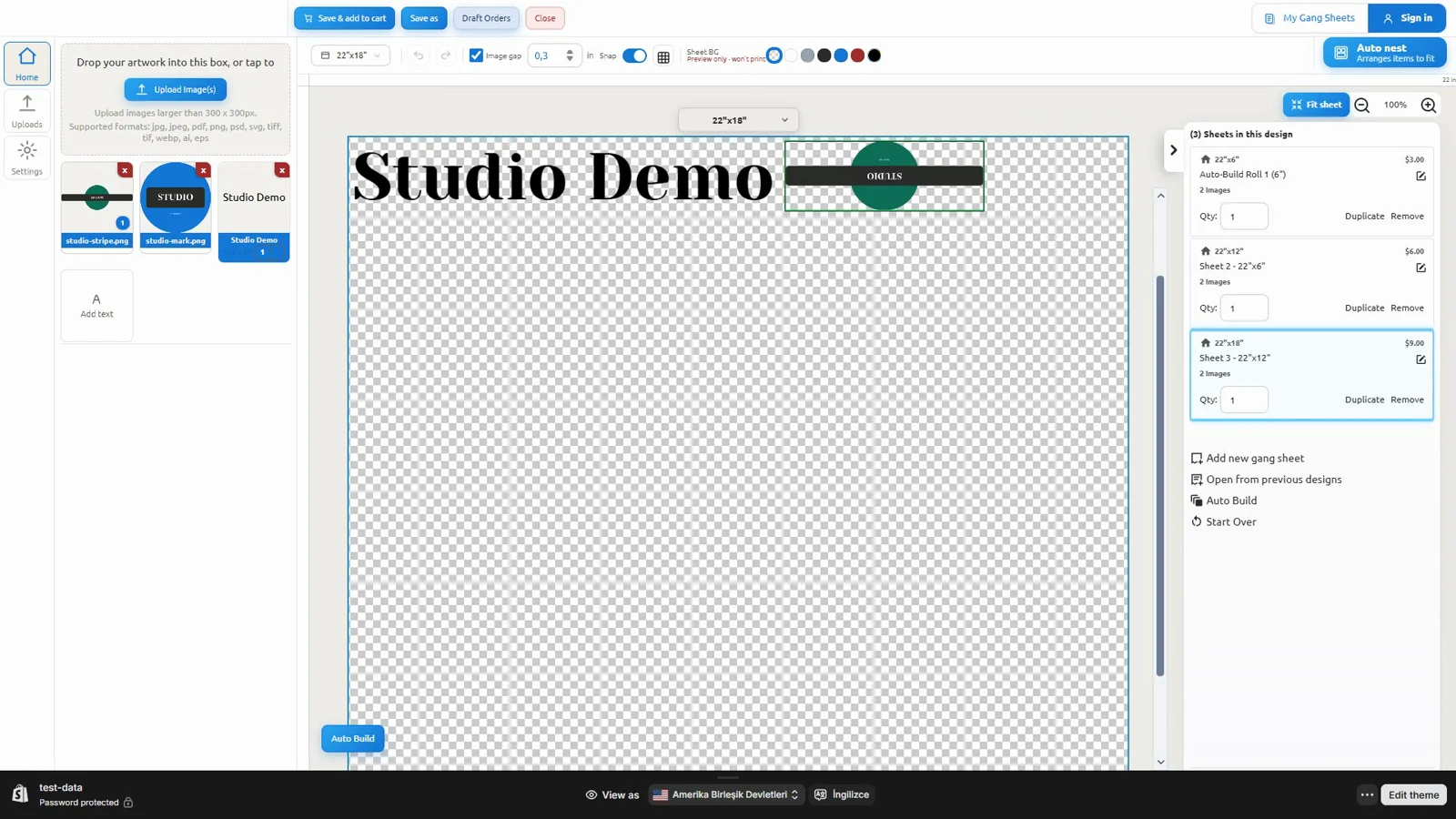
Upload artwork, add text, set physical sizes and quantities, and switch between the sheet sizes your shop sells. Arrange manually or use Auto Build.
Print-shop software by Actual Scope
Their artwork. Your store.
Ready for your next print run.
Let customers build DTF and UV gang sheets or order transfers by size. Keep saved artwork, checkout and production files connected to the Shopify order.
Shopify App Store review in progressNot yet listed on the App Store.
From upload to production
Give customers room to create. Give your team the files that belong to the order.
Upload artwork, add text, set physical sizes and quantities, and switch between the sheet sizes your shop sells. Arrange manually or use Auto Build.
Use the artwork tools enabled by your shop, inspect print quality, save designs in My Gang Sheets, and review every sheet before adding it to the cart.
Open paid orders and download production PNG files. Sheet identification connects order lines to artwork. TIFF prepares separately when enabled.
See the real product
A short tour of the live app, followed by the complete installation-to-print walkthrough.
A closer look
Create or connect products, review prices, then save your theme buttons and app embeds.
Customers choose dimensions and copies. You choose print-area bands, Shopify size prices or a square-inch rate, with optional paid precut.
Customers check full sheets, names, notes and quantities before they continue.
Artwork references and sheet identity travel with the cart lines into the order.
Open the paid order, wait for PNGs to be ready, and download from the merchant panel.
Straightforward app pricing
Gang sheets, transfers by size, saved designs and order print files in one Shopify app.
$359 USD / month
Billed through Shopify. No app commission or per-order usage charge.
Try the customer experience
Our development store is password-protected. Request access before visiting; this link does not bypass the password screen.
This is a demonstration environment, not a fulfillment shop. Do not enter real payment information. Use artwork you have the right to upload.
Before you start
Yes. Setup supports gang sheets, transfers by size, or both, using your shop's configured products, sizes and prices.
The editor runs from your storefront. Signed-in Shopify customers can reopen linked designs without a separate external app login.
Guided links open Shopify's theme editor. Add the product app block, enable the required embeds, then save. These product buttons replace standard purchase controls for the connected artwork workflow.
Your shop controls tools including PressCheck, FitCheck, StyleLab, background removal and upscaling. Optional processing may send selected artwork to a processing provider. Quality indicators do not guarantee a physical print result.
Uninstall revokes access but does not immediately erase work. Shopify normally sends a store-erasure request 48 hours later. Verified erasure removes affected app data and owned files. See our Privacy Policy.
Built by Actual Scope
Ask about setup, compatibility or the demo before you choose a plan.
Contact product support →